InDesign, rebuilt
for agents
Turn Markdown into reports, magazines, brochures and picture books as print-ready PDFs.
An AI art director and a prepress department, on a layout engine that never touches your words.
300 credits a month for every workspace. No card needed.
An easier way to edit your designs.More room to explore. Less time repeating layout work.
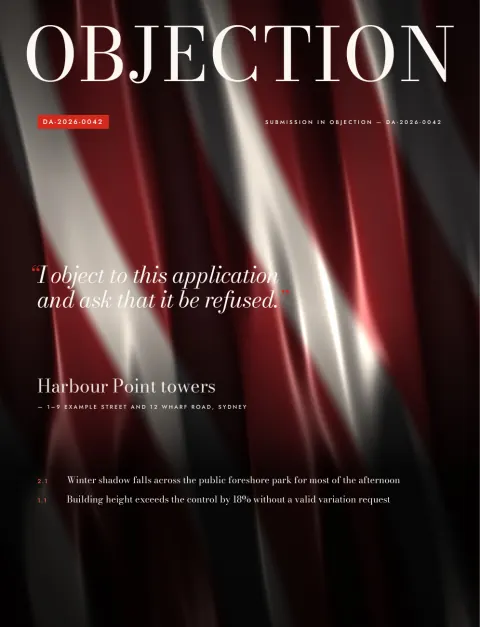
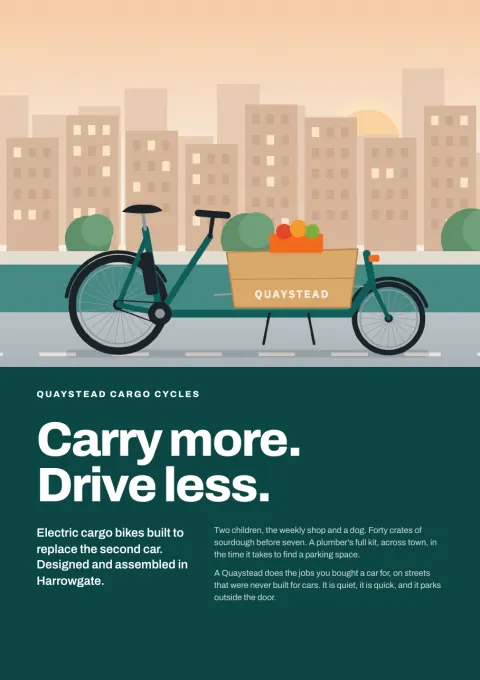
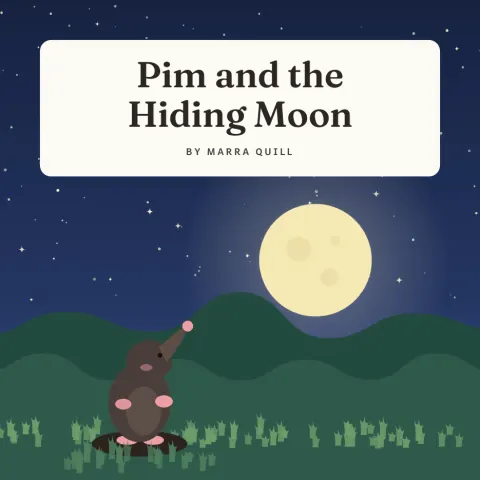
Spend more time on the design.
Let the agent handle the fussy details (bleed, page flow and repeated formatting) so you can explore more layouts and make room for better ideas.
› design harbour-submission.md as a report and a bold magazine
✻ thinking
  A council submission: calm report first, then a louder edition.
✓ project_create · 0.6s · created harbour, 42 blocks
✓ brief · 0.3s · 6 sections, 3 tables, 4 figures
? Covers need a picture. The photo library has nothing of the harbour.
  1. Generate 3 on-subject images (15 credits)
  2. Engine-drawn artwork (free)
  3. Type-only covers
› 2
✓ plan_apply · 24.1s · ACCEPTED r0002 · hard checks pass
✓ soft_checks · page 9 is 16% full before a forced break
✓ command_apply · dry run, then applied · 38 → 37 pages
✓ preflight · READY
✓ export · harbour-report.pdf, harbour-magazine.pdf
# once, in any terminal
claude mcp add --transport http imprintal \
  https://imprintal.com/mcp

# then, in Claude Code (it signs you in with your account)
› Use imprintal to make a report from notes.md
✓ imprintal · project_create
✓ imprintal · brief
✓ imprintal · plan_validate · VALID
✓ imprintal · plan_apply · ACCEPTED
✓ imprintal · inspect_page · page 1 (image)
✓ imprintal · export
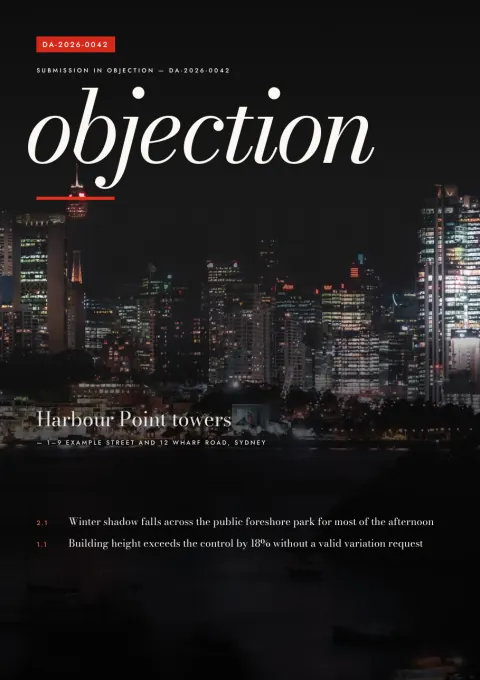
One document, four kinds of print
Write in Markdown once. Each edition is a separate design over the same text, rendered, checked and exported as its own PDF.
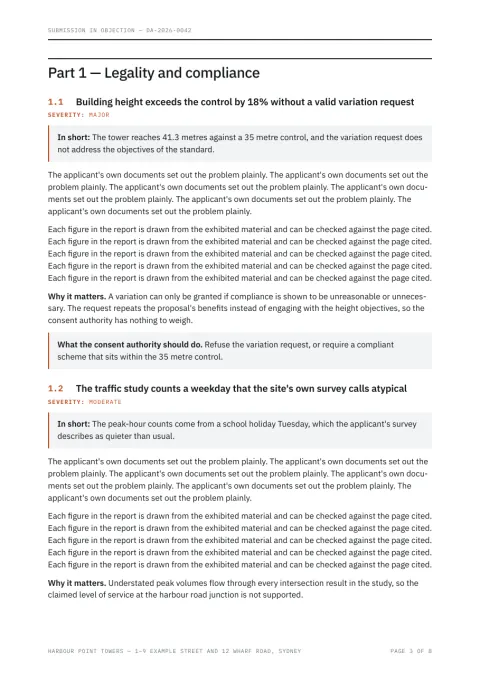
Reports
Submissions, objections, briefings. Contents page, numbered sections, callouts, severity labels, tables that split across pages cleanly.
A4 · 1 column · 4 cover styles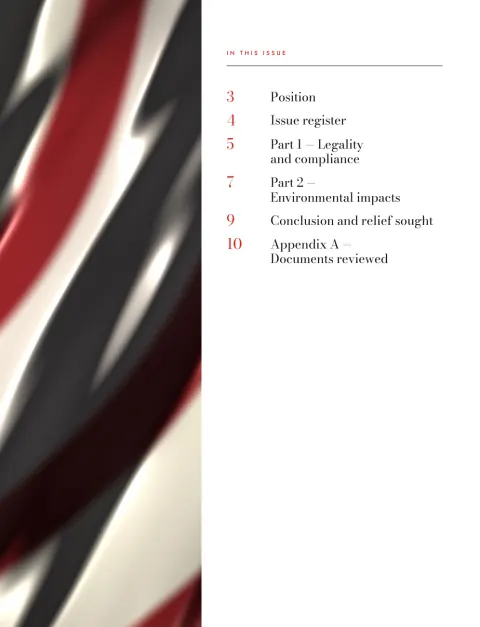
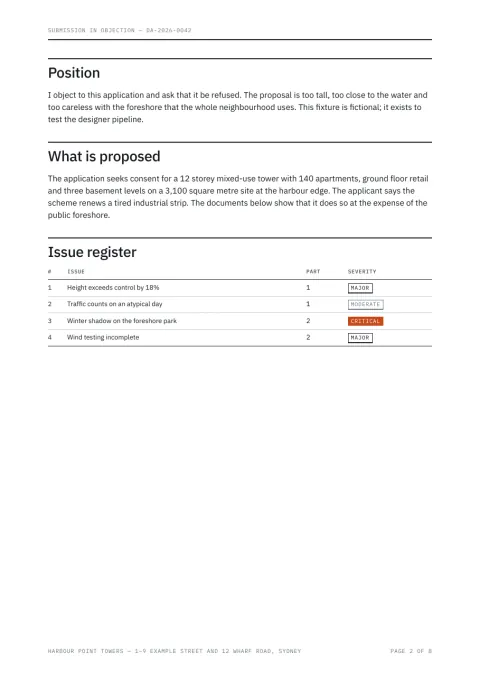
Magazines
Full-bleed covers, cover lines taken word for word from your text, Part openers, pull quotes, two-column spreads.
230 × 300 mm · spreads · bleed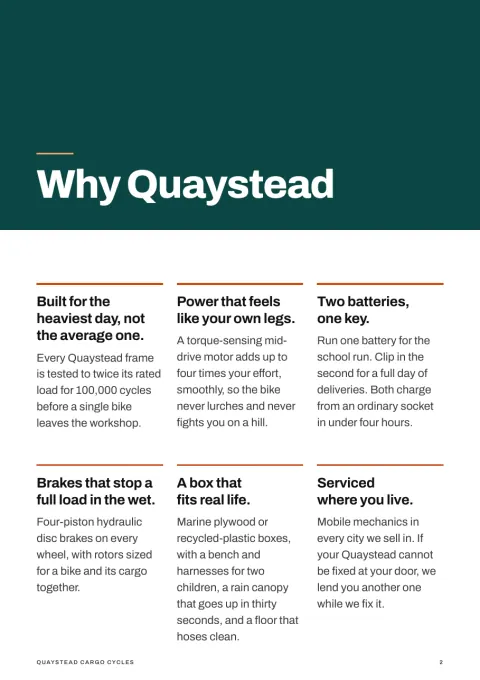
Brochures
Product and programme brochures: hero cover, feature cards, big numbers, quotes, comparisons and a contact back page.
A4 · A5 · 210 mm square · 4-page multiples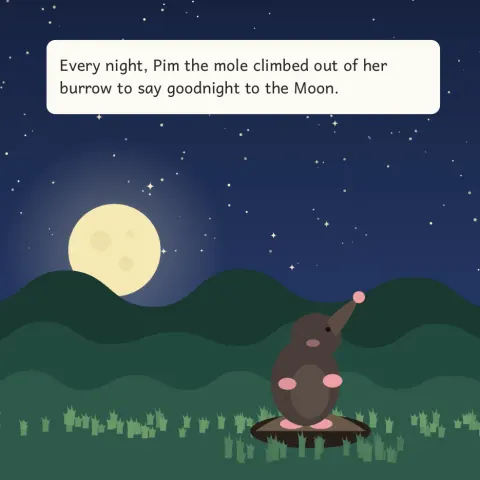
Picture books
Square spreads with a picture and a few lines of large type per page, endpapers included.
square · landscape · portrait · endpapersBe the art director, not the architect
You shape the look and feel of each publication. The agent handles the production details (flowing text, repeating layouts and setting up bleed), then shows its work with measured pages, clear checks and a revision for every change.
Your file, untouched
project_create reads the Markdown and its images. The text becomes canonical and is never rewritten.
Your decisions, up front
Outputs, mood, and whether to generate images on the subject. Asked once, before anything is designed.
Typed layout intent
Presets, covers, openers, callouts and tokens, checked by plan_validate before a page is drawn.
Two-pass layout
Chromium measures, the engine paginates, then renders the final PDF with bleed and crop marks.
It reads the pages
contact_sheet and inspect_page give the model the page images, the exact text on them and the issues found.
Dry run first
command_apply previews a change as a page diff before it is kept. Two rounds, unless you ask for more.
Approve pages
Locked pages can’t move. A change that would move one is rejected and kept in the history.
PDF plus sidecars
preflight must say READY. You get the PDF, its layout, its checks and a contact sheet.
Your words are sacred.
Nothing is shortened, reworded, dropped or shrunk to fit. If content can’t fit, that’s a reported conflict, never a quiet fix.
Checks are the judge.
A page that fails a hard check doesn’t ship. The model can’t weaken a check to make its own design pass.
Nothing printed about how it was made.
No credits, colophons or AI labels on your pages. Generated images are decorative only, never your figures.
Say who’s printing it. Get files they’ll accept.
Tell the designer the job is for a printer. It asks what the printer wants, renders with bleed, converts the colour, checks everything a prepress operator would, and hands you the files with a preflight report to send along.
› make this ready for our magazine printer
? Which printing condition does your printer name?
  1. ISO Coated v2 (FOGRA39)  2. PSO Coated v3 (FOGRA51)
  3. GRACoL 2013  4. Something else
› 1
? Marks? Most printers want none, just 3 mm bleed.
› crop marks, 3 mm bleed
✓ render · print, 3 mm bleed · 11 pages
✓ export · press · FOGRA39 · crop marks
- 11 pages, trim 230 × 300 mm
- 3 mm bleed on every edge; art extends through it
- Media, Bleed, Trim and Art boxes on every page
- PDF/X-4, output intent FOGRA39, profile embedded
- No RGB left after conversion
- Fonts embedded, none Type 3, text still searchable
- Ink coverage at most 296% (limit 300%)
- Black body text in black ink only
- Every image at 300 ppi or more at its printed size
- No white object set to overprint
- Page 4: reversed type at 7.4 pt (printers suggest 8 pt)
- Page 6: labels at 5 pt (minimum 6 pt)
harbour-magazine-press.pdfharbour-magazine-print.pdfharbour-magazine-preflight.pdfColour is converted by Ghostscript and self-checked against PDF/X-4. It is not a certified validation, so the printer’s own preflight still has the final word. How print works
Measured, not eyeballed
Every render is checked twice over. Hard checks block an export. Soft checks are advice, each with the option that may fix it.
Hard checks block export
OVERFLOWNo text runs past its frame or off the page.COVERAGEEvery word of the document is on a page, in order, as searchable text.FONT_FALLBACKOnly bundled, embedded fonts. No system substitutes, no Type 3.PRINT_GEOMETRYTrim, bleed and safe area are exact to the point.MARK_CLEARANCECrop marks sit in the slug, clear of the artwork.UNSUPPORTED_GLYPHA character no bundled font draws is named at import, with its line.BLEED_MISSINGArt that reaches the trim but stops short of the bleed.IMAGE_RESOLUTION_INSUFFICIENTAn image under 150 ppi at its printed size, figures in the text included.PRESS_*For CMYK files: PDF/X structure, output intent, no RGB left, ink coverage per page, black text, white overprint.Soft checks advice with fixes
near-empty pageA page left mostly blank before a forced break.holeA gap where a figure didn’t fit under its text.stranded headingA heading alone at the foot of a page.loose linesJustified lines with wide word gaps.low contrastType over a picture that is hard to read.figure distanceA figure pages away from where the text cites it.small typeType under 6 pt, or light type on dark under 8 pt, that may fill in on press.low resolutionAn image under 250 ppi at its printed size.The web, the terminal or Claude Code
The same operations run in the web app, in the terminal designer and over MCP. All three sign in with your account, work inside the workspace you choose and draw on its credits.
# add it once, then sign in with /mcp
claude mcp add --transport http --scope user \
  imprintal \
  https://imprintal.com/mcp
# run it in any folder; it signs you in with your account
npx -y --allow-remote=all \
  https://publication-designer-site.a1base.workers.dev/designer-0.1.0-g447b35e43999.tgz
project_createbriefcapabilitiesplan_validateplan_applycommand_applyrenderinspect_pagecontact_sheetsoft_checkspreflightexportrevisionsrevertdesign_rundesign_iteratecompareimages_generateimages_listproject_adoptusageWhat you get built in
RevisionsEvery change is a revision with who made it. Revert to any of them.Dry runsRender a change and see the page diff before keeping it.IterationsGive written feedback on a design; compare shows the pages that changed.PermissionsAnything that spends credits or deletes asks first. One yes covers a batch.WorkspacesA personal workspace for you, and team workspaces with owners, admins, editors and viewers.CreditsOne allowance per workspace each month, with a daily cap per person, on a usage page.The parts of a print shop, as software
Real typesetting
Kerning, ligatures, hyphenation, drop caps, widows kept in check, tables split by rows with repeated headers.
Every character
Static OFL fonts with every subset, backed by Noto for symbols, maths, other alphabets and one-colour emoji.
Images with provenance
Your figures, a photo library, engine-drawn art, or generated images when you say yes.
Design tokens
Presets from editorial classic and civic modern to quiet luxury and brutalist, with palette, type and scale you can override.
Print production
Exact page boxes, bleed per edge, printer marks, CMYK PDF/X-4 with an output intent, and a preflight report with every export.
Batch re-render
An agreed design exports a jobs.yaml, so the next edition renders without re-planning.
Hand it a Markdown file. Get back a publication.
Sign up with your email and a one-time code. You get a personal workspace with 300 credits a month, and can start a team workspace for up to 3 people.
npx -y --allow-remote=all https://publication-designer-site.a1base.workers.dev/designer-0.1.0-g447b35e43999.tgzclaude mcp add --transport http --scope user imprintal https://imprintal.com/mcp